Notation Legend
□
ClassRepresents object types and their structure
—
AssociationRelationship between two classes
◊
AggregationWeak whole-part relationship
◆
CompositionStrong whole-part relationship
△
InheritanceGeneralization/specialization
Description
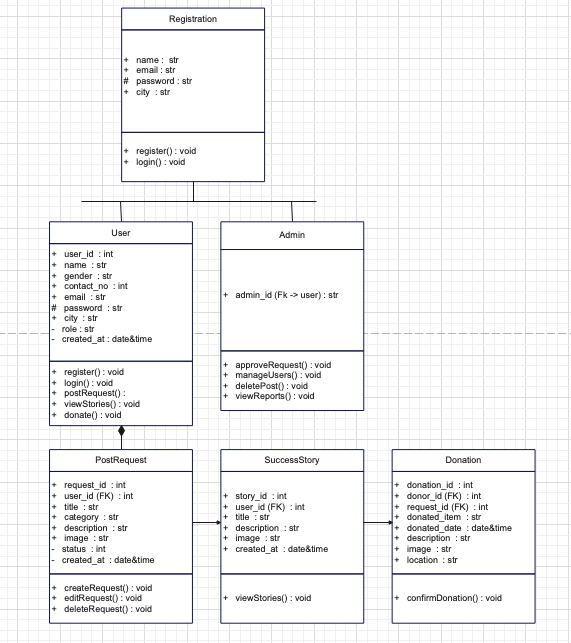
The Class Diagram represents the static structure of the Online Library Management System. It depicts the classes that compose the system, their attributes, methods, and the relationships between them. This diagram serves as a blueprint for implementing the system in code.
It shows how different entities like Users, Books, Loans, and Libraries interact with each other. Each class contains attributes (data members) and methods (operations) that define the behavior and state of objects instantiated from that class. The relationships illustrate dependencies, associations, and hierarchies between classes.
Key Components
User Class
Manages user information, authentication, and profile details
Book Class
Stores book details, ISBN, availability status, and catalog info
Loan Class
Tracks borrowing transactions, due dates, and returns
Library Class
Central coordinator managing all library operations
Know More on GeeksforGeeks
Notation Legend
●
Start NodeBeginning of an activity or workflow
◎
End NodeTermination point of an activity
▭
ActivitySpecific task or action to be performed
◇
Decision PointConditional branching in the workflow
→
TransitionFlow of control between activities
Description
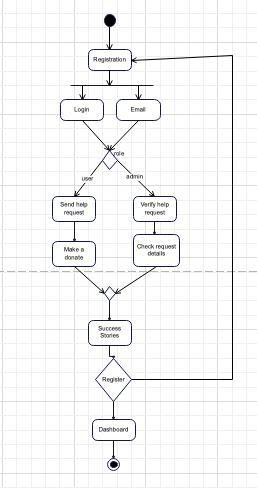
The Activity Diagram illustrates the dynamic behavior and workflow of the book borrowing process in the Library Management System. It depicts the sequence of activities from the moment a user logs in until they successfully check out a book.
This diagram shows the flow of control, decision points where different paths may be taken based on certain conditions, and parallel activities that can occur simultaneously. It helps visualize how the system processes user requests and manages the borrowing workflow step by step.
Process Flow
User Login
Authenticate user credentials and verify account status
Search Books
Browse catalog and search for desired books by title or author
Check Availability
Verify book availability and user borrowing eligibility
Checkout Process
Complete borrowing transaction and set due date
Know More on GeeksforGeeks
Notation Legend
👤
ActorExternal user or system interacting with the system
○
Use CaseFunctional requirement or action performed by actor
□
System BoundaryRectangle enclosing all use cases in the system
—
AssociationConnection between actor and use case
«»
RelationshipsInclude or extend relationships between use cases
Description
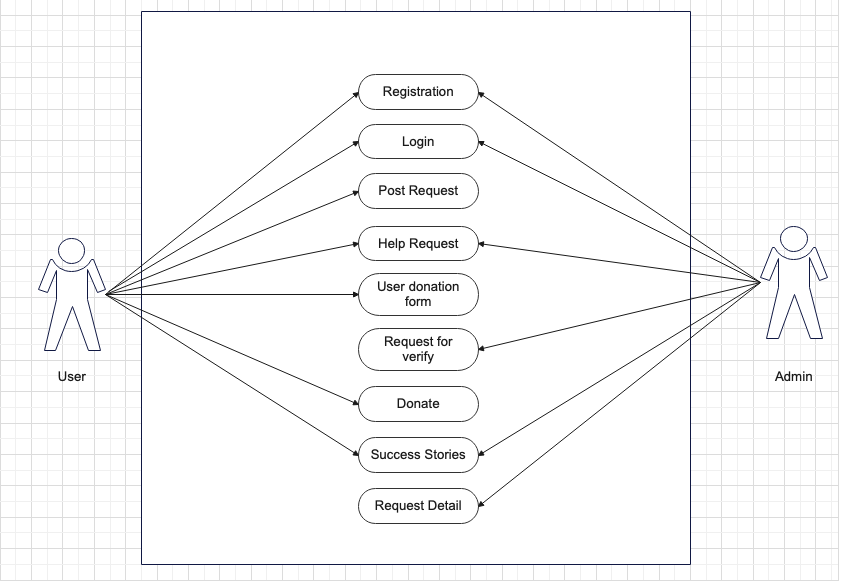
The Use Case Diagram defines the functional requirements of the Library Management System by showing the interactions between actors and the system's use cases. It identifies who can use the system and what actions they can perform.
This diagram helps stakeholders understand the scope of the system, identify key features, and clarify what different users (members, librarians, administrators) can do. Each use case represents a specific functionality, and associations show which actors can trigger each use case.
Main Actors & Use Cases
Member
Search books, borrow books, return books, view account, renew loans
Librarian
Manage books, issue books, collect fines, generate reports, process returns
Administrator
Manage users, system settings, backup data, manage librarians
System
Send notifications, calculate fines, update inventory, generate overdue alerts
Know More on GeeksforGeeks
Notation Legend
□
EntityData table or object type in the database
◇
RelationshipAssociation between two entities
1:1
One-to-OneEach entity related to exactly one other
1:N
One-to-ManyOne entity related to multiple others
M:N
Many-to-ManyMultiple entities related to multiple others
Description
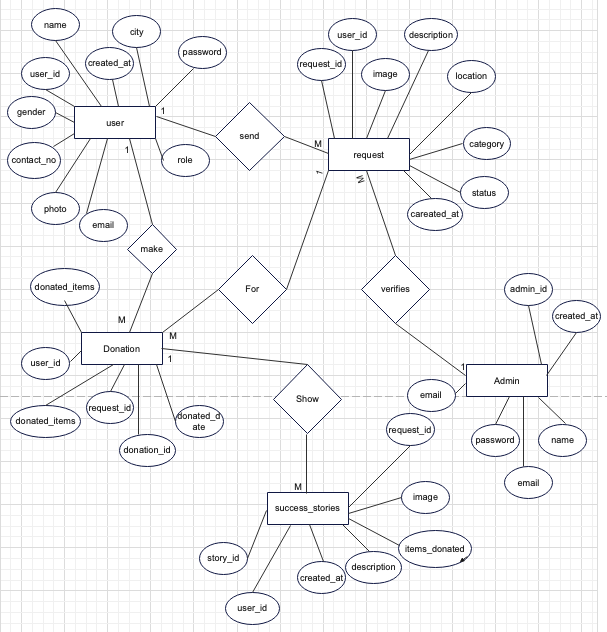
The Entity Relationship Diagram (ERD) represents the database structure of the Library Management System, showing entities, their attributes, and relationships between different data tables. It provides a conceptual model of how data is organized and stored in the system.
The ERD serves as a blueprint for database design and implementation. It identifies all entities (tables) that need to be created, the attributes (columns) within each entity, and how entities relate to each other through primary and foreign keys.
Database Entities
Users
Stores user profiles, authentication details, and contact information
Books
Contains book catalog, ISBN, title, author, and inventory details
Loans
Records borrowing transactions, due dates, and return status
Fines
Tracks overdue fines, payment status, and fine calculations
Know More on GeeksforGeeks
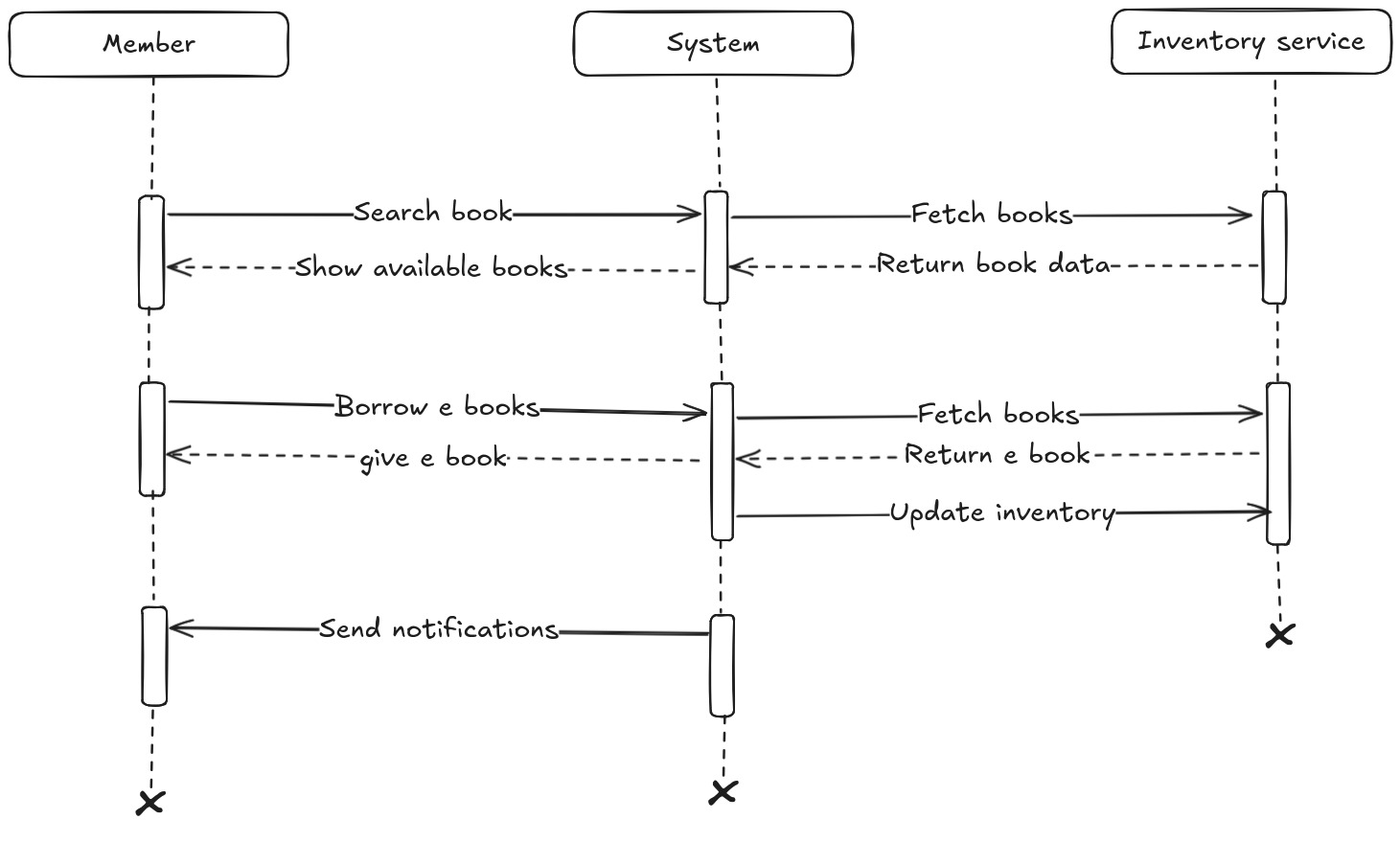
Notation Legend
│
LifelineRepresents the presence of an object over time
[]
Activation FragmentShows time fragments where the actor is active
→
Request messagerepresents action or request
--
Response MessageRepresents response or action
↩
ReturnResponse or return value from a call
✖
DestroyDenotes an object being destroyed
Description
A Sequence Diagram is a type of system diagram that specifically illustrates the temporal sequence of messages and interactions between different entities (objects or services) within a system to achieve a specific outcome, such as completing a transaction or fulfilling a request. It is focused on dynamic behavior, showing how a system operates over time rather than its static structure.
The diagram features lifelines representing the participants (e.g., a User Interface, a Database Service, an Inventory Management component) and messages depicted as arrows, arranged vertically in the order they occur. The primary goal is to clearly map out the flow of control, identify synchronous versus asynchronous calls, and define the exact order of operations needed for a process like borrowing a book or renewing a loan.
Key Interactions
Member to System
Requests to search, borrow, or renew a book
System to InventoryService
Checks book availability and reserves a copy
System to NotificationService
Sends confirmations, due-date reminders, and alerts
System to Member
Sends data about books to the member
Know More on GeeksforGeeks
Students Details
Complete list of students
| Name |
Roll No. |
Division |
| Harsh Patel |
88 |
B |
| Kaushik Joshi |
92 |
B |
| Om Anjikar |
102 |
B |
| Anand Raj Yadav |
78 |
B |
| Usman Khan |
130 |
B |
| Tanmay Mahajan |
61 |
A |
| Aniket Khandagale |
10 |
A |